Listing an item
From your dashboard, click Create transaction. This opens a four-step wizard:
-
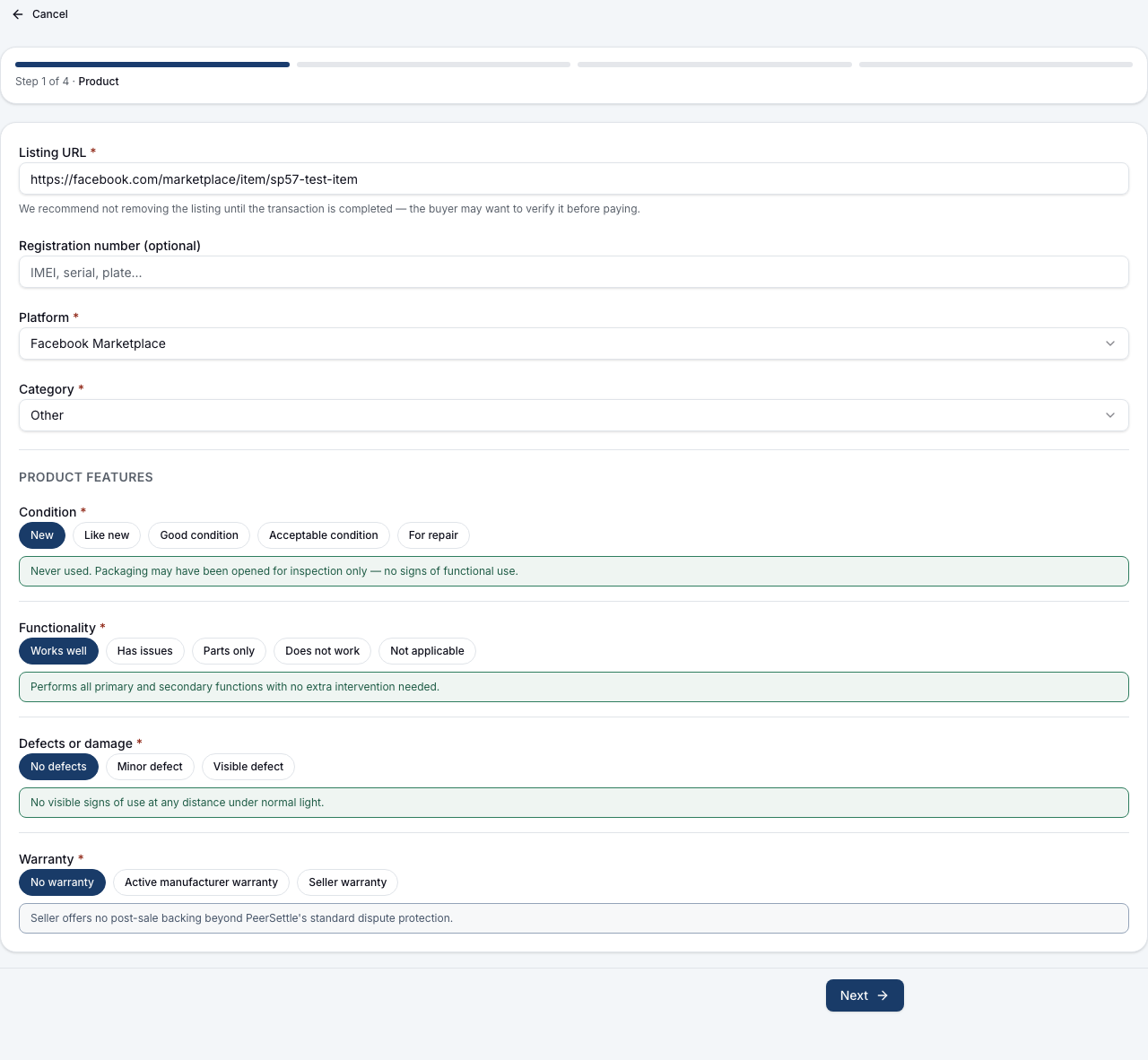
The product. Paste the link to your listing (Facebook Marketplace, eBay, Craigslist, wherever you posted it), pick a platform and a category, and add a registration number if it applies (IMEI, VIN, serial number). Then fill in the category’s required details — these come as pre-set options you select, not free text, so there’s no room for “well, I meant something different.” A phone listing asks for condition, brand, storage, screen condition, and so on; a car asks for transmission, documents, tire condition, and so on. Categories without a dedicated set (like “Other”) just ask for condition, functionality, defects, and warranty.
-
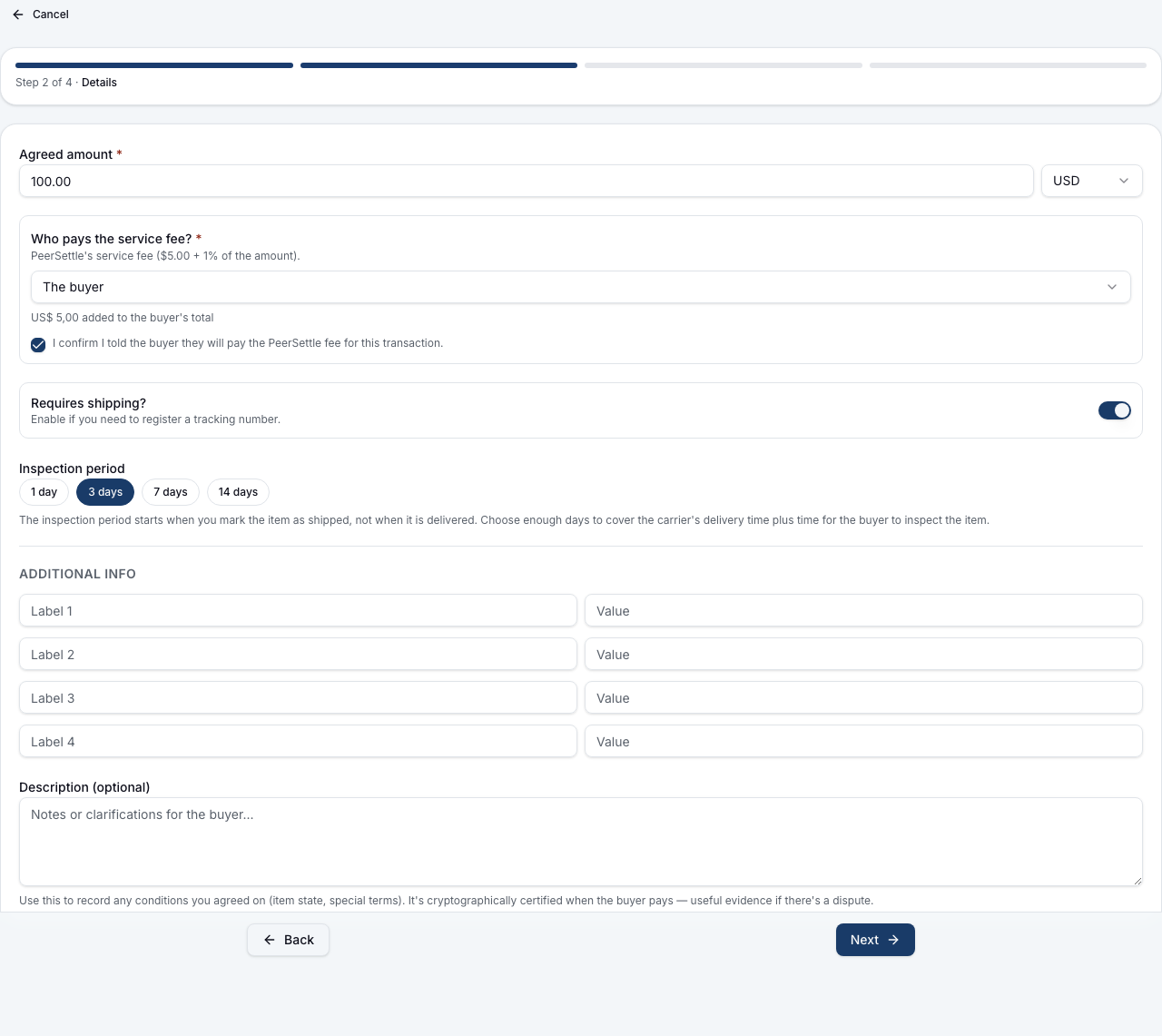
The details. The agreed price (in USD), who pays PeerSettle’s service fee, whether the item ships or you’re handing it over in person, and how long the buyer gets to inspect it — 1, 3, 7, or 14 days, your choice. That period starts counting from the moment you mark the item as shipped, not from when the buyer actually receives it — so pick a window that covers the carrier’s delivery time plus the buyer’s time to check it over. (This is under review with our payment processor and may change in a future update.) You can also add a description and up to four custom fields for anything the category doesn’t cover.
-
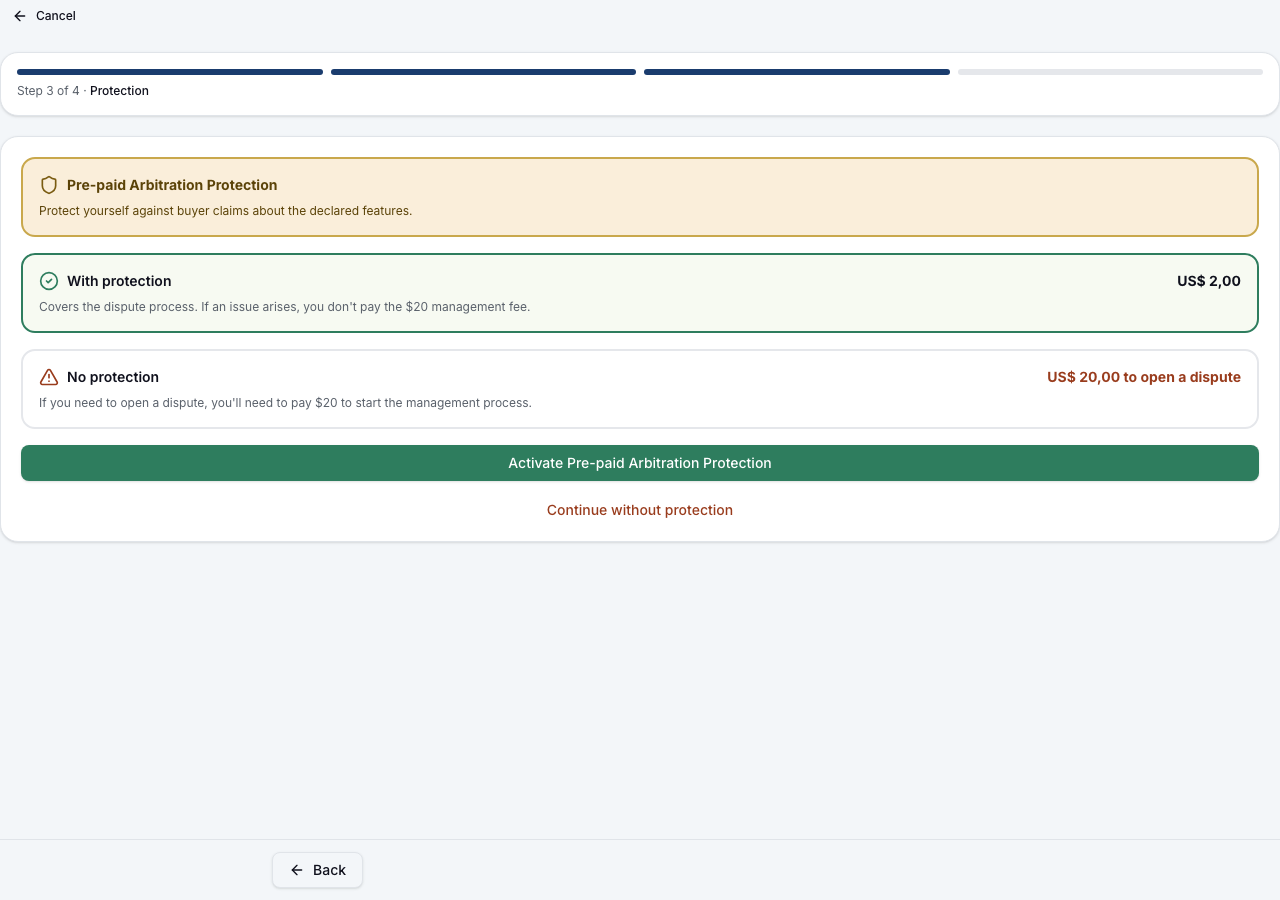
Pre-paid Arbitration Protection. Whoever opens a dispute pays an arbitration fee to open it — regardless of who ends up being right. If a buyer opens a dispute on your deal, the buyer pays that fee, not you. This protection covers you for the disputes you open: it costs $2, charged when you create the deal, and then opening a dispute costs nothing extra. Without it, opening a dispute costs $20. Either way, the amount is not refundable, regardless of how the dispute is resolved.
Without protection With protection Paid when you create the deal $0 $2 Paid if you open a dispute $20 $0 It’s entirely optional and entirely yours to decide — it doesn’t affect the buyer’s own choice on their side. (If you’re on PeerSettle’s lifetime free plan, this is handled for you automatically — you’ll see a gold badge instead of the choice, at no cost.)
-
Summary. A clear breakdown of what you’ll receive after fees, plus a checklist of seller obligations you confirm before publishing (accurate declarations, shipping only after “Funds secured,” tracked/insured carrier, uploading tracking promptly, and so on) — so there’s no surprise later.
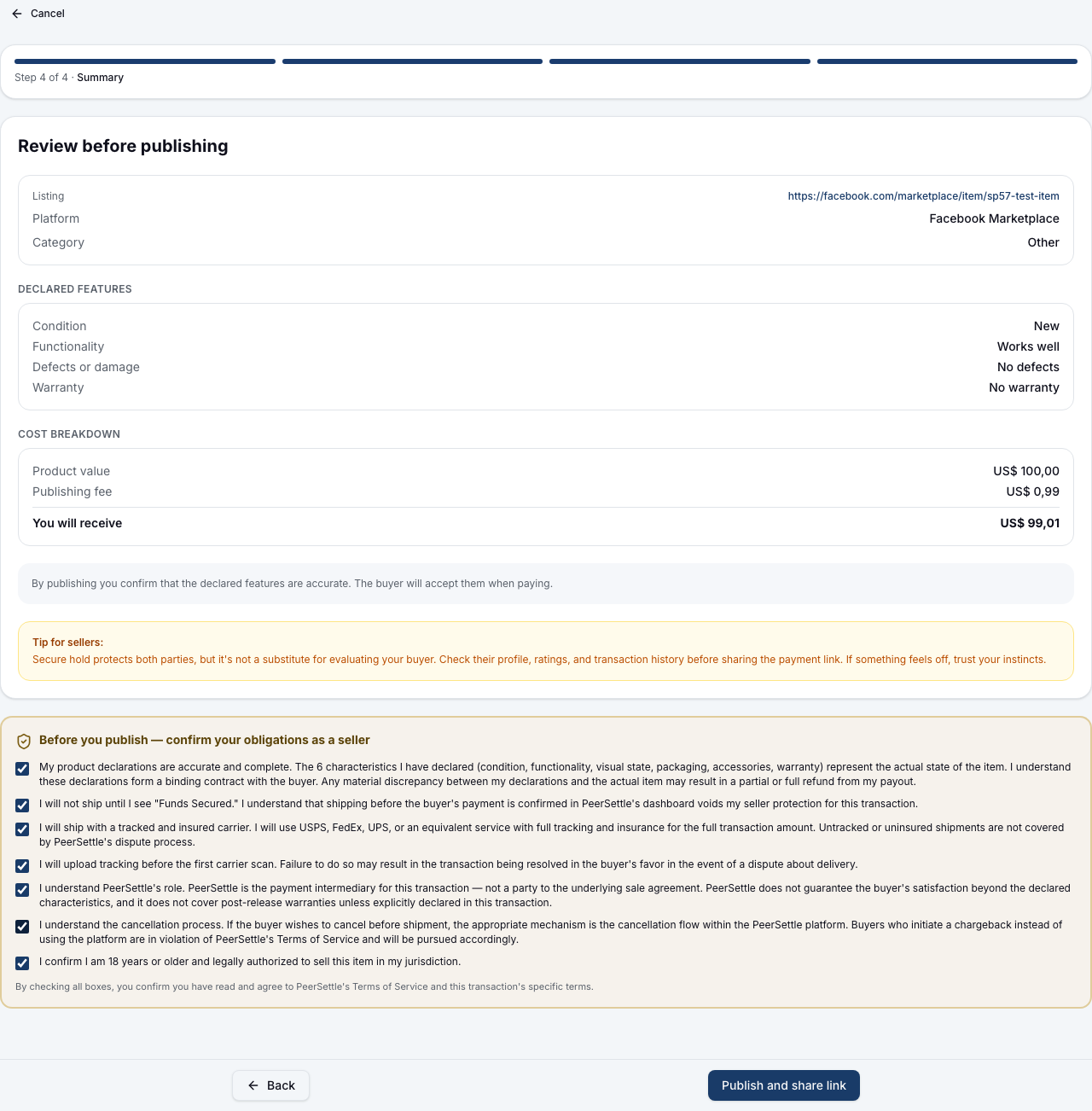
Click Publish and share link, and your transaction is created. Next: Sharing your payment link.